






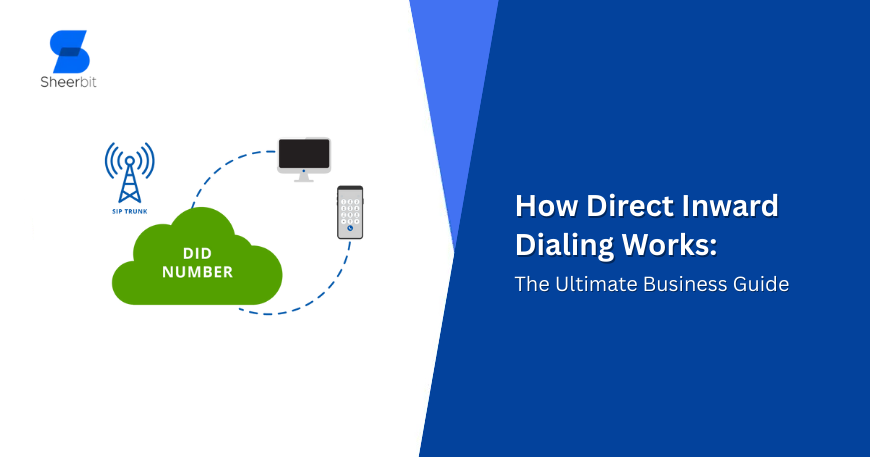
Direct Inward Dialing (DID) is a service that lets external callers reach a specific person, team, or extension directly without going through an operator or dialing extra extension digits. In modern business telephony, DIDs are commonly delivered through VoIP or SIP trunking so the same “direct number” can ring desk phones, softphones, call queues, or mobiles based on routing rules.
Direct Inward Dialing might sound like a legacy telecom term, but it has become even more important in cloud calling and UCaaS setups where customers expect fast, human-first access. Instead of forcing every caller into a single main line and a long IVR tree, DID lets you publish direct numbers for sales, support, billing, branches, or even individual reps—while still managing everything centrally.
What is DID (Direct Inward Dialing)?
Direct Inward Dialing (DID) is a telephone service that assigns individual phone numbers to people or endpoints inside a company phone system (typically a PBX), allowing callers to dial those numbers and get routed straight to the right destination. Traditionally, DID was designed so organizations could receive calls to specific extensions without requiring an operator to manually transfer calls.
A DID number is the public-facing number someone dials from the outside, but it does not necessarily represent a “physical line.” In fact, DID is commonly described as a way to give employees individual numbers without buying separate phone lines for each person, because the routing happens through the PBX and trunk capacity.
DID is also called DDI (Direct Dial-In) in some regions (especially Europe), but the concept is the same: unique inbound numbers mapped to internal destinations.
Key terms (quick clarity):
- DID number: The external number customers dial to reach a person/team.
- PBX: The business phone system that routes calls to internal extensions.
- Trunks (PRI/SIP): The connectivity between the public phone network and the PBX/VoIP system used to carry calls.
How DID works (traditional to VoIP)
At a high level, DID works by mapping an inbound number to a destination (extension, queue, ring group, IVR option, voicemail box, or external forwarding number). When someone dials that DID, the provider delivers the call to your phone system, and the phone system applies routing logic to complete the call to the intended target.
Classic DID (PSTN + trunks + PBX)
In traditional setups, a telco connects trunk lines to a company PBX and allocates a block of direct-dial numbers to that business. When an inbound call hits one of those numbers, the call is forwarded to the PBX over the trunk, and the PBX uses the dialed number information to route the call to the correct extension—without an operator having to answer first.
Modern DID (VoIP / SIP trunking / cloud PBX)
With cloud telephony, the same concept is implemented digitally using VoIP infrastructure—commonly via SIP trunking or provider-based cloud PBX routing. In this model, the DID is still the number customers dial, but the call is carried over IP networks and then routed to a user, department, or application endpoint based on your configuration.
A common modern flow looks like this:
- A customer dials a DID that is associated with a user or department.
- The provider delivers the call to your system (often over a SIP trunk or cloud PBX connection).
- Your routing rules determine where the call should ring (softphone, desk phone, queue, voicemail, or a forwarding target).
DID versus “main number + IVR”
DID doesn’t replace your main number—it complements it. A main number is still useful for general inquiries, while DID numbers create fast lanes for high-intent callers (existing customers, VIP accounts, priority support, direct sales lines) who should not be forced through menus.
Quick comparison: PRI/PSTN DID vs SIP/VoIP DID
| Factor | Traditional DID (PRI/PSTN + PBX) | VoIP DID (SIP trunk / cloud routing) |
|---|---|---|
| Delivery method | Calls delivered over PSTN trunks to PBX. | Calls delivered over IP, often via SIP trunking. |
| Scalability | Adding capacity may require telecom provisioning/hardware changes. | Scaling is often configuration-based (numbers/routing). |
| Routing flexibility | PBX-centric routing; forwarding possible but can be limited. | Advanced routing to apps, queues, remote teams, devices. |
| Best fit | Sites with legacy PBX and fixed capacity. | Distributed teams, multi-site, fast growth, modern CX. |
DID in VoIP: features, benefits, and real use cases
DID becomes especially valuable when combined with a modern PBX/UC system because the number is just the entry point—everything after that can be automated, measured, and optimized.
What DID enables (practically)
- Direct-to-person or direct-to-team calling: Callers can reach a specific extension or department without a human operator.
- Call forwarding strategies: DIDs can be configured to forward calls to other numbers (including mobile phones), which is useful for coverage and remote work.
- Call center and queue routing: Inbound calls to certain DIDs can route into agent queues rather than to a single phone.
- Voicemail per user/team: Calls can be directed to voicemail boxes tied to specific users or functions.
Business outcomes (why teams actually buy DIDs)
- Better customer experience: Direct access reduces transfers and helps callers reach the right person faster.
- Cleaner org structure: Each department (or campaign) can have a published number while the backend stays centralized.
- Higher answer rates for revenue lines: Sales DIDs can ring multiple devices or follow-the-sun schedules, so fewer leads get lost.
- More measurable marketing: Assign unique DIDs per channel (Google Ads, landing pages, geo campaigns) to attribute calls accurately.
Common DID use cases by department
- Sales: Unique DIDs for reps, territories, or product lines so prospects connect quickly to the right specialist.
- Support: DIDs per product tier (standard vs priority) or region to reduce wait times and improve first-call resolution.
- Finance/Billing: A direct line reduces internal transfers and helps handle sensitive account issues efficiently.
- Multi-location businesses: Local DIDs for each city/branch while keeping one centralized PBX and shared agent pool.
DID and virtual presence (local numbers)
Many businesses use DIDs to create a local presence in multiple cities or countries without physically opening offices there. With the right routing, a local DID can ring a central team, a regional partner, or a local queue—while presenting a familiar area code to customers.
To keep procurement, compliance, and call quality clean, it’s best to work with a voip solution provider that can supply numbers in your target regions and support consistent routing, analytics, and governance.
How to choose and deploy DID numbers (step-by-step)
DID deployment is straightforward, but the best results come from planning numbering, routing, and reporting together.
Step 1: Define what each DID is for
Avoid buying numbers “just in case.” Instead, map each DID to an owner and outcome:
- Revenue lines (sales, demos, renewals)
- Service lines (support, onboarding, escalations)
- Operations (HR, vendor management, IT helpdesk)
- Marketing attribution (campaign-specific numbers)
Step 2: Decide the destinations (where calls should land)
A DID can route to:
- A specific user/extension
- A ring group (multiple phones)
- A queue (next available agent)
- An IVR (for that department only)
- Voicemail after business hours
- A backup external number for emergencies
Write these rules down before implementation. It prevents “orphan numbers” that ring endlessly or reach the wrong team.
Step 3: Design business-hours and overflow logic
Great DID setups include:
- Time-of-day routing (business hours vs after-hours)
- Holiday schedules
- Overflow to a queue or backup agent group
- Failover routing (if the primary endpoint is unavailable)
Step 4: Ensure number hygiene, governance, and documentation
As the number pool grows, governance becomes essential:
- Keep a DID inventory spreadsheet (number → owner → purpose → routing → last reviewed date)
- Use naming conventions (e.g., DID-SALES-US-WEST, DID-SUPP-EMEA-TIER2)
- Review quarterly: reclaim unused numbers, update routing for org changes
Step 5: Track performance (don’t just “set and forget”)
Even small teams benefit from monitoring:
- Answer rate per DID (did calls get picked up?)
- Missed call patterns (time/day spikes)
- Queue performance (wait time, abandonment)
- Call reasons (tagging/CRM notes)
If DIDs are used for campaigns, track them like any other conversion channel—DIDs are measurable assets, not just phone numbers.
Practical buying checklist
When evaluating a voip solution provider, ask:
- Do you support local/toll-free numbers in the regions needed?
- Can DIDs route to queues, ring groups, and mobile failover?
- Is call reporting available per DID (not just per user)?
- Do you support SIP trunking and/or cloud PBX options as needed?
- What are the onboarding requirements for number provisioning (docs, address proofs, compliance)?
Choosing a voip solution provider with transparent number management, reliable routing, and clear analytics usually matters more than choosing the cheapest per-number rate.
FAQs about DID (for SEO)
Is a DID the same as an extension?
No—an extension is an internal identifier inside your PBX, while a DID is the external number that maps to an extension or destination.
Do you need a separate phone line for every DID?
Typically no; DID is commonly used to allocate individual numbers without requiring separate physical lines for each employee, because calls are routed through the PBX and shared trunk capacity.
Can DID numbers ring mobile phones or remote staff?
Yes—DIDs can be configured to forward calls to other numbers, including mobile phones, which is useful for remote/hybrid coverage.
Does DID work only with old PBX systems?
No—DID can be delivered via traditional PSTN/PRI setups or modern cloud VoIP systems, depending on how your call routing is implemented.
What’s the simplest way to start with DID?
Start by assigning DIDs to your highest-impact inbound paths (sales and support), then expand to departments and marketing attribution as routing and reporting mature.
DID is one of the simplest upgrades a company can make to improve caller experience and internal efficiency—because it reduces unnecessary steps between “dial” and “the right person.” With thoughtful routing design, a DID strategy can scale from a small team to a multi-location organization without turning your phone system into a maze.
Working with a dependable voip solution provider also makes DID expansion much easier, especially when you need number availability in multiple regions, consistent call handling rules, and clear reporting across teams.

